
Websites and product design that make the next step obvious.
Marketing sites, web front-ends and UI/UX design that are fast, accessible and easy to use.
Design and build, for the parts of your business people see.
Design only, build only, or both. Most projects start with a design phase and end with the site or app built from it.
Websites
Marketing sites and landing pages that say what you do in one screen and make the next step obvious: book, call, buy or sign up.
- Marketing sites and landing pages
- Multi-location and multi-brand sites
- Booking, quote and contact forms wired to your CRM or inbox
- Redesigns that keep what already works
For exampleA landing page for a new service, with a booking form that lands in your CRM.
UI/UX and product design
Design before code. We map the flows, sketch the screens and build a clickable prototype your team can try, then turn it into a design system and hand it off to build.
- Light research and user flows
- Wireframes and clickable prototypes
- Design systems: type, color, components and states
- Handoff with specs, to our engineers or yours
For exampleA prototype of a new customer portal your team can click through before anyone writes code.
Web front-ends for apps
The part of a web app people actually use: dashboards, forms, account areas and portals, built on your API or on one we build.
- SvelteKit, or Next.js and React
- Connected to your API, or to one we build on the Software side
- Works on phones, tablets and desktops
- Light and dark themes from one set of tokens
For exampleA new front-end for an internal tool, on top of the system you already run.
SEO, performance and accessibility
The basics done properly on every page we ship, so people and search engines can find it, load it and use it.
- Titles, descriptions, sitemaps and structured data
- Lighthouse checks before launch, with targets for speed
- Accessibility to WCAG 2.1 AA: contrast, labels, keyboard, reduced motion
- Redirects, so a redesign doesn’t break old links
For exampleA redesign that loads fast on a phone and keeps every old link working.
Need the system behind the screens, the database or the API? That’s Software.
Every site can include an AI assistant button.
Some visitors would rather ask than fill in a form. The assistant answers in your company’s name, day or night, says it’s an AI, and books the visit or passes the conversation to your team. Businesses that live on the phone can add the same assistant as an AI receptionist.
See AI agentsSites we’ve built and run, and templates to start from.
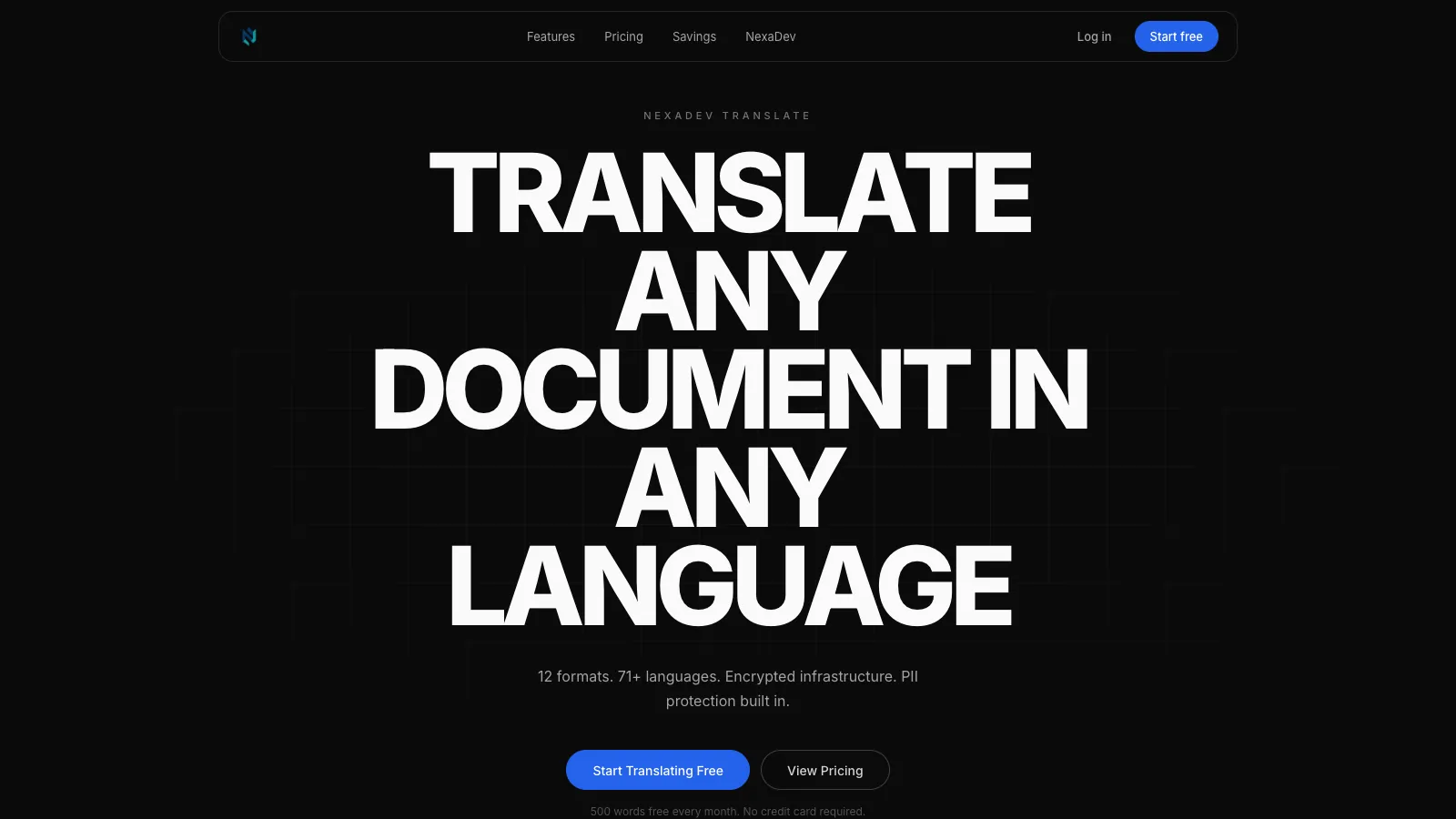
NexaDev Translate
The marketing site and web app for our document-translation product. Upload a document in any of 12 formats (Word, PDF, Excel, XML and more) and get it back in one of 71+ languages, with the layout kept. Billing on Stripe.
nexadev.ai, the site you’re on
Built in SvelteKit on one design system: shared tokens for type, color and controls, full light and dark themes, and contrast built to WCAG 2.1 AA.
Templates for service businesses
Four layouts for trades where the work starts with a call or a booking. Each is a template for a made-up company, not a client site. We fill it with your services, your area and your photos.
Your Company Heating & Air. Leads with no-heat and no-cool calls, same-day booking and maintenance plans for the slow season.
Your Company Plumbing. A 24/7 call bar on every page, then the jobs people search for: leaks, water heaters and drains.
Your Company Restoration. Built for the emergency call: call first, then what happens next, and help with the insurance claim.
Your Company Garage Doors. Springs and openers up top, booking for repairs, and a quote path for new doors.
Five steps, from the first call to launch or handoff.
A site ends with a launch. Product design ends with a handoff to whoever builds it, our engineers or yours.
-
A 15-minute call
What the site or product has to do, who uses it, and what exists today.
-
An intake or design brief
For a site: your content, logo, photos and pages. For a product: the users, the flows and what done looks like.
-
A first preview or prototype
A working site on a preview link, or a clickable prototype, to try on your own phone and laptop.
-
Revisions
You tell us what to change. The number of rounds is set in your written scope.
-
Launch, or handoff to build
We connect your domain, test every form and go live. For product design, we hand over the files, specs and design system.
Questions
Do I own it?
Yes. The domain stays in your name, and the design files, the code and the content are yours. If you ever move on, we hand it all over.
Can you redesign our current site?
Yes. We start from what already works: your content, the pages people find you through, and what your analytics show. Old addresses are redirected to the new pages, so you keep what search engines already know about you.
Do you do product or UX design without building it?
Yes. We can design the flows, wireframes, clickable prototype and design system, and hand them to your own team to build, with specs for every screen and state. If you’d rather we build it too, our engineers pick it up from the same files.
Who hosts it?
Your choice. We can host and look after it for you: hosting, SSL, uptime monitoring and security updates. Or we deploy it to your own account, for example on Vercel or AWS.
Will it help us show up on Google?
Every site gets the basics right: fast pages, clear titles and descriptions, structured data, a sitemap, and a page for each service and place you want to be found for. Nobody can promise a ranking, and we won’t.
Is it accessible?
We design and build to WCAG 2.1 AA: readable contrast, a label on every field, full keyboard use, visible focus and respect for reduced-motion settings. We check with automated tools and by using the site with a keyboard.
What does it cost?
It depends on the number of pages or screens, whether it’s design only or design and build, and what it connects to. You’ll get a clear number on a 15-minute call.
Tell us what the site or product has to do.
In 15 minutes you’ll know what we’d design, how we’d build it, and what the next step is.